- Published
LAMP, MERN, MEAN, TALL and other web stacks
Web development stack names can become confusing quickly. PHP is a language. Laravel and Symfony are frameworks. WordPress is a CMS built on PHP. React is a frontend library. MERN, MEAN, LAMP and TALL are stacks because they describe several technologies used together.
The naming is not always precise, and different developers use the words slightly differently. That is why the important question should be: what does the stack include, what kind of website does it suit, and how hard will it be to maintain after launch?
For smaller businesses, the right stack is rarely the newest acronym. It is the stack that keeps the site fast, stable, editable, crawlable, and realistic to support.
What a web stack actually is
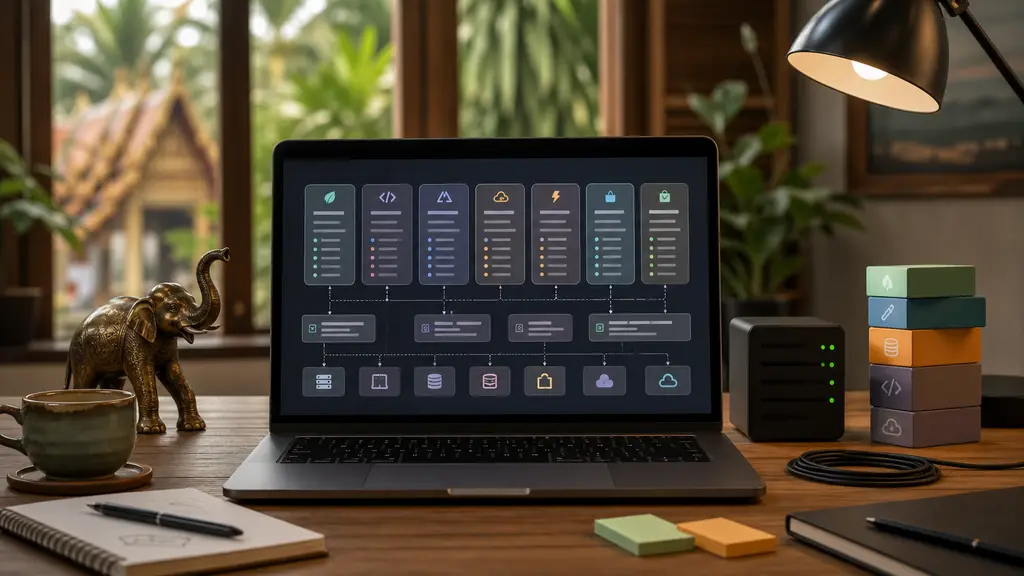
A web stack is the set of technologies that work together to deliver a website or web application.
At minimum, it usually covers:
- A server or hosting layer
- A backend language or runtime
- A framework, CMS, or application structure
- A database or content source
- A frontend layer for templates, components, styling, and browser behavior
- Supporting services such as cache, queues, search, email, CDN, deployment, analytics, and monitoring
That is why “Laravel” alone is not really a full stack. Laravel is a PHP framework. A Laravel project might use PHP, Laravel, Blade, MySQL, Redis, queues, Tailwind CSS, Alpine.js, Nginx, GitHub Actions, Cloudflare, and a payment provider. That complete combination is the stack.
The same applies to Symfony, React, Angular, Vue, Astro, Django, Rails, and WordPress. They are important parts of a stack, not the whole operational picture.
Traditional PHP stacks
PHP stacks still matter because they run a large part of the web businesses use every day: WordPress, WooCommerce, Laravel applications, Symfony applications, membership sites, booking systems, intranets, dashboards, and custom business tools.
LAMP
LAMP means Linux, Apache, MySQL or MariaDB, and PHP.
This is the classic PHP stack. It is common, well understood, widely supported by hosting companies, and still perfectly useful for many websites. A WordPress site on ordinary shared hosting is often some form of LAMP.
LAMP fits:
- WordPress and WooCommerce sites
- Small business websites
- PHP applications that do not need unusual infrastructure
- Projects where hosting support and predictable maintenance matter more than novelty
The weakness is not PHP itself. The weakness is usually an overloaded theme, too many plugins, poor caching, old PHP versions, or hosting that is too weak for the traffic and admin workload.
LEMP
LEMP means Linux, Nginx, MySQL or MariaDB, and PHP.
The difference from LAMP is the web server: Nginx instead of Apache. Nginx is common in VPS, container, and performance-focused setups. Many modern PHP deployments use Nginx with PHP-FPM.
LEMP fits:
- WordPress or Laravel sites that need stronger server control
- Higher traffic content sites
- Custom PHP applications with tuned caching and routing
- Projects where a developer or managed host controls the server layer
For a business website, LEMP can be useful when performance and server configuration matter, but it also means someone must own the setup properly.
WAMP, MAMP and XAMPP
WAMP, MAMP and XAMPP are usually local development stacks.
- WAMP: Windows, Apache, MySQL, PHP
- MAMP: macOS, Apache, MySQL, PHP
- XAMPP: cross-platform Apache, MariaDB, PHP, and related tools
They are useful for running PHP locally, especially for WordPress testing. They should not be confused with a production architecture decision.
WordPress as a stack
WordPress is not just “PHP”. A real WordPress stack includes:
- PHP
- WordPress core
- MySQL or MariaDB
- A theme
- Plugins
- Media handling
- User roles and editor workflows
- Caching
- Backups
- Updates
- Hosting and CDN rules
This stack is strong when non-technical users need to edit content, publish articles, manage landing pages, or run WooCommerce with familiar tools.
It becomes weak when every problem is solved with another plugin. A slow WordPress site is often not slow because it uses WordPress. It is slow because the stack has become unmanaged: heavy plugins, uncached pages, oversized images, database growth, third-party scripts, and unclear ownership.
If this is your situation, start with direct WordPress developer help or a WordPress performance audit rather than a full rebuild.
Laravel, Symfony and PHP application stacks
Laravel and Symfony are frameworks. The stack is what gets built around them.
Laravel stack
A Laravel stack commonly includes:
- PHP
- Laravel
- Blade, Livewire, Inertia, Vue, React, or another frontend approach
- MySQL, MariaDB, PostgreSQL, or another database
- Redis or another cache/queue layer
- Scheduler, queues, workers, mail, storage, APIs, and deployment tooling
Laravel fits business systems where WordPress would become awkward: booking logic, dashboards, API integrations, internal tools, custom workflows, payment callbacks, background jobs, and structured data models.
For example, a property rental or booking project may need custom availability rules, CRM synchronization, payment status handling, owner dashboards, and automated emails. That is usually application work, not page-builder work.
See Laravel development services and the property-management platform case for the kind of operational work where backend architecture matters.
Symfony stack
A Symfony stack commonly includes:
- PHP
- Symfony components or the full Symfony framework
- Doctrine for database mapping
- Twig, API Platform, or a separate frontend
- PostgreSQL, MySQL, Redis, queues, workers, and deployment tooling
Symfony is common in larger custom PHP systems and applications that need strong structure, long-term maintainability, reusable components, and clear architecture.
For a smaller business, Symfony can be excellent if the project genuinely needs that structure. It can also be unnecessary if the need is a simpler website, a normal WordPress site, or a focused Laravel application.
TALL stack
TALL means Tailwind CSS, Alpine.js, Laravel, and Livewire.
This is a Laravel-based stack for building interactive server-rendered applications without turning everything into a large single-page app. Laravel handles the backend, Livewire connects server-side state to frontend interactions, Alpine adds small browser behavior, and Tailwind handles styling.
TALL fits:
- Admin dashboards
- Internal tools
- Booking management interfaces
- Forms and workflows with moderate interactivity
- Applications where server-side Laravel logic should stay central
It is often a useful middle ground. You get interactivity without the complexity of a separate React or Vue frontend.
JavaScript and TypeScript stacks
JavaScript stack names are easy to confuse because the frontend, backend, and build tooling can all use JavaScript or TypeScript.
MERN stack
MERN means MongoDB, Express, React, and Node.js.
It is a JavaScript stack where Node.js runs the backend, Express handles server routes or APIs, React handles the frontend, and MongoDB stores data as documents.
MERN fits:
- Custom web applications
- Dashboards and app-like interfaces
- Projects where one JavaScript/TypeScript team handles frontend and backend
- Data models that fit document storage well
MERN is not a PHP stack. It does not use Laravel, Symfony, WordPress, or PHP by default.
The risk is that many MERN projects become more complex than the business needs. If the project is mostly content, service pages, articles, and enquiries, MERN may add moving parts without improving the result.
MEAN stack
MEAN means MongoDB, Express, Angular, and Node.js.
It is similar to MERN, but Angular replaces React. Angular is a full frontend framework with a stronger opinion about application structure.
MEAN fits:
- Larger frontend applications
- Teams that prefer Angular conventions
- Dashboards, portals, and internal apps with clear frontend architecture needs
It is rarely the obvious first choice for a simple marketing website. It can be a good choice for a real application with a team that already knows Angular well.
MEVN stack
MEVN means MongoDB, Express, Vue, and Node.js.
It follows the same pattern as MERN and MEAN, but uses Vue for the frontend. It can be lighter and more approachable than Angular for some teams, while still supporting serious application work.
PERN stack
PERN means PostgreSQL, Express, React, and Node.js.
It is close to MERN, but replaces MongoDB with PostgreSQL. That matters when the data is relational: users, orders, bookings, payments, properties, availability, invoices, and reporting.
For many business systems, PostgreSQL is a better default than MongoDB because the data has relationships and consistency rules. The acronym is less famous than MERN, but the database choice may be a better fit.
Next.js, Nuxt and SvelteKit stacks
Next.js, Nuxt and SvelteKit are framework-centered JavaScript stacks.
- Next.js is built around React
- Nuxt is built around Vue
- SvelteKit is built around Svelte
These stacks can render pages on the server, generate static pages, call APIs, and build application-like frontends. They are useful when a project needs a modern frontend with routing, components, and server-side behavior in one framework.
They can also be overused. If a site is mostly stable content, a static-first setup such as Astro may be simpler to maintain.
Static, headless and edge stacks
Not every website needs a traditional application server for every page.
JAMstack
JAMstack originally meant JavaScript, APIs, and Markup. In practice, it describes a static-first architecture where pages are prebuilt, served from a CDN, and connected to APIs where dynamic behavior is needed.
JAMstack fits:
- Fast content websites
- Documentation
- Landing pages
- Blogs and guides
- Headless CMS projects
- Sites where most pages do not need per-request server rendering
The benefit is speed, security, and simpler delivery. The weakness appears when the project actually needs logged-in workflows, complex real-time data, or many dynamic business rules.
Headless WordPress stack
A headless WordPress stack keeps WordPress as the CMS but uses a separate frontend such as Astro, Next.js, Nuxt, or another framework.
This can work when editors need WordPress but the public site needs stronger performance, cleaner frontend control, or a different deployment model.
It adds complexity: preview handling, redirects, media, caching, APIs, plugin compatibility, and deployment all need clear ownership. Read the headless WordPress guide before treating it as an automatic upgrade.
Astro and Cloudflare stack
An Astro and Cloudflare stack is static-first:
- Astro for pages, components, routing, and content collections
- Markdown or MDX for structured content
- TypeScript schemas for content validation
- Cloudflare for DNS, CDN, redirects, headers, caching, and edge behavior
This is a strong fit for content-heavy websites that need fast pages, technical SEO, clear internal links, and maintainable content. It is also the kind of stack used in this Astro content-platform case.
The deeper explanation is in Astro + Cloudflare for AI-ready websites.
Serverless and edge stacks
Serverless and edge stacks use managed functions, workers, queues, storage, and APIs instead of a traditional always-running server.
They fit:
- Contact forms
- Lightweight APIs
- Webhooks
- Redirect and header logic
- Image processing
- Scheduled tasks
- High-read, low-write content sites
They can reduce server maintenance, but they require careful thinking about limits, logging, cold starts, data storage, and vendor-specific behavior.
Other common application stacks
Some stacks are not PHP or JavaScript-first, but they are common and worth knowing.
Django stack
A Django stack uses Python and Django, often with PostgreSQL, templates or a separate frontend, cache, workers, and deployment tooling.
It fits content platforms, admin-heavy applications, data-backed systems, and teams that prefer Python. Django’s built-in admin can be an operational advantage.
Ruby on Rails stack
A Rails stack uses Ruby on Rails, usually with PostgreSQL, server-rendered views or a JavaScript frontend, background jobs, cache, and deployment tooling.
Rails is productive for custom applications with clear conventions. It can be excellent when the team knows Rails well and the project needs to move quickly without inventing structure from scratch.
ASP.NET stack
An ASP.NET stack uses C# and .NET, often with SQL Server or PostgreSQL, Razor, Blazor, APIs, Azure, containers, or Windows/Linux hosting.
It is common in corporate, Microsoft-heavy, and enterprise environments. For small businesses, it makes sense when existing systems, integrations, or developer availability point that way.
Go stack
A Go stack uses Go for backend services, usually with PostgreSQL, templates or a separate frontend, queues, APIs, and container deployment.
Go can be strong for high-performance services, APIs, and infrastructure-heavy systems. It is usually not the first stack I would choose for a simple brochure website.
Shopify stack
A Shopify stack is a managed commerce stack. It may include Shopify, Liquid themes, Shopify apps, payment and shipping integrations, custom storefront code, and sometimes Hydrogen or headless frontend work.
It fits ecommerce where product, checkout, payment, inventory, tax, and admin workflows are better handled by a managed platform than by a fully custom build.
How to choose without getting lost
Do not choose a stack by acronym. Choose it by constraints.
Ask these questions first:
- Is this mostly a public website, a CMS, an ecommerce shop, or a custom application?
- Who needs to edit content after launch?
- Does the site need login, booking, payments, dashboards, API integrations, or background jobs?
- Does existing code already work and need improvement rather than replacement?
- Which developers can maintain it in two years?
- Where will it be hosted, backed up, monitored, and deployed?
- How important are crawlability, page speed, technical SEO, and structured content?
- What can fail, and who notices when it does?
Google’s current Search documentation still points back to useful, people-first content, crawlable pages, clear titles, helpful links, and a good page experience. The stack matters because it can make those basics easier or harder, not because one acronym automatically ranks better.
For a business website, my default bias is pragmatic:
- Use WordPress when editing, familiar CMS workflows, and plugin ecosystems matter.
- Use Laravel when the project is really a custom business application.
- Use Astro and Cloudflare when the site is mostly public content and speed, structure, and maintainability matter.
- Use a JavaScript application stack when the product is genuinely app-like and the team can maintain it.
- Keep older PHP if it works, then modernize it carefully instead of rewriting by reflex.
That last point matters. An existing PHP or WordPress system that brings enquiries, bookings, or revenue should not be replaced just because a newer stack sounds cleaner. Often the better move is careful PHP development and modernization or targeted technical SEO help.
Frequently Asked Questions
How do I find out what my existing site is built on?
View the page source and look for the giveaways: /wp-content/ means WordPress, /_next/ means Next.js, /_astro/ means Astro. Response headers often name the server and sometimes the framework, and browser extensions that fingerprint technologies get you most of the way for free. If you have hosting access, the file layout settles it in seconds: a composer.json, package.json, or wp-config.php tells you more than any detector. It matters mostly because the stack determines who can work on the site and how risky changes are.
Does the stack decide how expensive a site is to maintain?
Less than the discipline around it does. A well-run WordPress site with few plugins, working backups, and a staging environment is cheaper to keep alive than a bespoke application nobody has touched in three years. Where the stack genuinely matters is the availability of help: common stacks have more people who can pick the work up, and unusual combinations narrow that pool sharply. That becomes your problem on the day the original developer moves on.
The main takeaway
A stack is a working system, not a badge.
LAMP and LEMP are classic PHP server stacks. WordPress is a CMS stack. Laravel and Symfony are framework-centered PHP application stacks. TALL is a Laravel stack. MERN, MEAN, MEVN and PERN are JavaScript application stacks. JAMstack, Astro, headless WordPress, serverless, and edge setups describe different ways to deliver content and behavior.
The right choice depends on the job. A property site, booking business, restaurant website, and custom operations platform may all need different stacks.
If you are unsure whether an existing site should stay on WordPress, move toward Laravel, use Astro, or connect to APIs differently, send me the URL and what you are trying to improve. I can help separate the useful architecture decisions from the acronyms.