- Published
WooCommerce checkout and payment fixes in Thailand
WooCommerce checkout problems are expensive because they happen at the point where a visitor is ready to buy. For Thailand businesses, that may mean local products, services, deposits, event bookings, digital products, or payments from international customers.
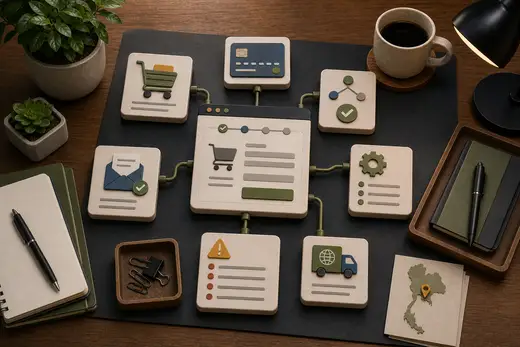
The checkout is not one feature. It is a chain: cart, customer fields, shipping, tax, currency, payment provider, webhook callback, order status, email confirmation, stock, and admin follow-up.

Start with the exact failure
Before changing settings, describe the failure precisely.
- Does checkout fail before payment?
- Does payment succeed but the order remains pending?
- Do confirmation emails fail?
- Are shipping or tax rules wrong?
- Does the payment gateway callback fail?
- Is the issue mobile-only?
- Does it happen for one product type or all products?
The difference matters. A failed payment page, a missing webhook, and a slow checkout can look similar to a customer but require different fixes.
Check order status and callbacks
Many checkout issues happen after the customer leaves the site for payment. The payment provider may need to call the store back to confirm the result. If that callback is blocked, delayed, duplicated, or not processed correctly, the order state becomes unreliable.
The same reliability principles from reliable API integrations apply here: verify the source, handle duplicate events, log enough context, and reconcile uncertain states.
Do not debug live payments casually
Payment flows should be tested carefully. Use test mode when possible, document which payment methods were tested, and check the complete journey from cart to admin order record.
Useful checks:
- Cart and checkout on mobile
- Required fields and validation
- Payment success and failure paths
- Order status transitions
- Customer and admin emails
- Stock or booking updates
- Tax, shipping, and currency display
- Error logs and webhook logs
For Thailand shops, also check whether the flow is clear for international buyers and whether prices, deposits, or service terms are explained before payment.
Performance affects checkout
Checkout can become slow because it loads many scripts, recalculates shipping, calls external services, or waits on the database. A slow checkout is not only a performance issue; it is a conversion issue.
The WordPress performance audit covers how plugins, database work, scripts, and hosting affect important flows like checkout.
Frequently Asked Questions
Do a failed payment page and a missing webhook look the same to a customer?
Often yes, but they need different fixes. Describing the exact failure first, such as whether payment succeeds but the order stays pending, matters more than changing settings based on a general impression of “checkout is broken.”
Why can an order stay pending even after a customer completes payment?
The payment provider often needs to call the store back to confirm the result. If that callback is blocked, delayed, or duplicated, the order status becomes unreliable even though the payment itself succeeded.
Is it safe to test WooCommerce payment changes directly on live orders?
No. Payment flows should be tested in test mode where possible, checking the complete journey from cart to admin order record, rather than debugging live payments casually with real customer transactions.
Is a slow checkout only a performance problem?
No. It is also a conversion problem. A checkout that loads many scripts, recalculates shipping, or waits on the database can lose a sale even if the rest of the site feels reasonably fast.
When to get technical help
Get help when orders are stuck, payments are inconsistent, customers report failures, emails disappear, or nobody can explain why checkout behaves differently across devices.
I can review WooCommerce checkout and payment flows for Thailand businesses and identify the likely failure points. Send me the symptoms and recent changes and I can suggest the next step.