- Published
Modernizing a Legacy PHP Application Without a Full Rewrite
Legacy PHP applications are often described as if age alone makes them bad. In practice, many older systems contain years of useful business rules, integrations, operational knowledge, and edge cases that are not documented anywhere else.
The code may be difficult to change, but the application still works. Replacing it completely can turn known technical debt into a long project with uncertain scope, missing behavior, and a risky final migration.
Incremental modernization takes a different approach. It improves the application’s safety, supportability, and structure while preserving the behavior the business already depends on.
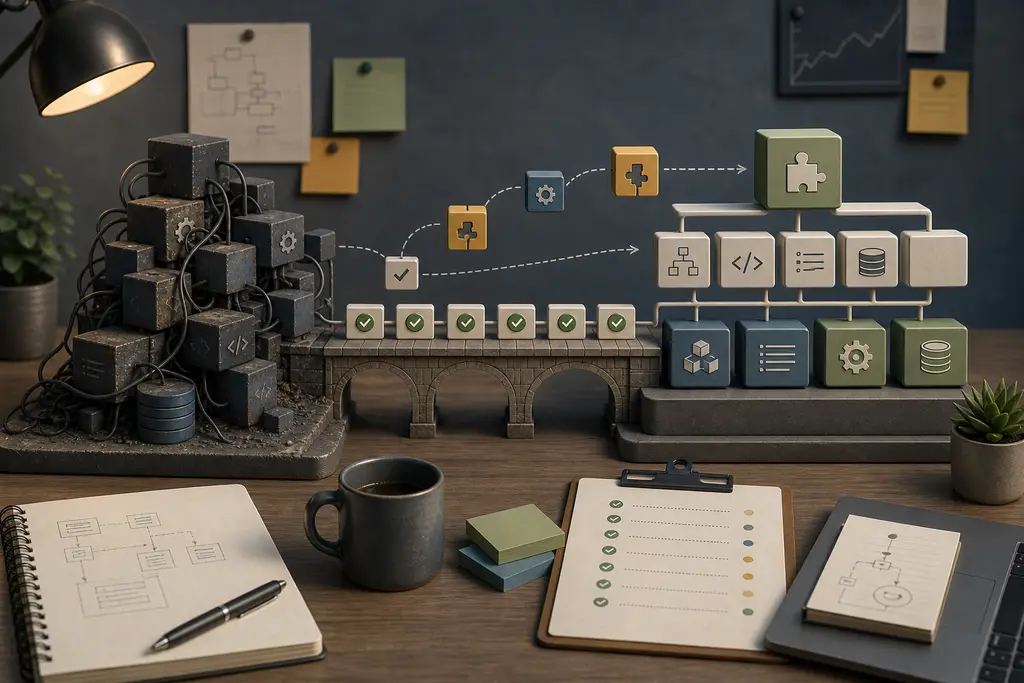
Start by understanding the actual risk
“Legacy” is not a useful diagnosis by itself. Identify what makes the application difficult or dangerous to maintain.
Common risks include:
- An unsupported PHP runtime
- Old or abandoned dependencies
- No reliable local or staging environment
- Manual deployment with no rollback process
- Important behavior without automated tests
- Database changes made directly in production
- Business logic mixed into templates and request handlers
- Integrations without logs, retries, or clear ownership
- Security assumptions that no longer match current use
- Knowledge held by one person or only visible in the code
Rank these risks by operational impact. An unsupported runtime exposed to the internet is more urgent than inconsistent naming. A fragile payment integration deserves attention before a broad style cleanup.
Map the system before changing it
Create a practical inventory of the application:
- Entry points, routes, scheduled jobs, and command-line tasks
- Databases, tables, files, and external storage
- Authentication, permissions, and administrative tools
- APIs, webhooks, email, payment, and third-party integrations
- Deployment, hosting, DNS, queues, and background workers
- Critical user and staff workflows
- Dependencies and their version constraints
Do not assume unused-looking code is safe to remove. Legacy systems often contain monthly jobs, rare administrative actions, or partner integrations that are invisible during normal browsing.
Use logs, server configuration, database activity, and conversations with the people using the system to confirm what actually runs.
Make the application observable
Modernization is safer when changes can be understood in production.
Before broad refactoring, improve:
- Error and exception logging
- Request and job correlation
- Monitoring of important endpoints and workflows
- Visibility into scheduled jobs and queues
- Alerts for repeated failures
- Backup verification
- Deployment history
Do not expose sensitive data in logs. The goal is to identify what failed, where it failed, and which business action was affected.
Observability creates a baseline. It also reveals existing failures that might otherwise be blamed on the modernization work.
Protect behavior with tests
An older application may not have been designed for automated testing. That does not mean testing must wait until after a rewrite.
Start with characterization tests around behavior that already exists. These tests describe what the application currently does, including behavior that may later be improved. Focus on the workflows where an unintended change would be expensive:
- Login and permission checks
- Pricing and calculations
- Order, booking, or enquiry creation
- Imports, exports, and scheduled jobs
- API and webhook behavior
- Critical reports
Tests at the HTTP, command, service, or database boundary can provide useful protection even when the internal code is tightly coupled. Add lower-level unit tests as responsibilities become easier to isolate.
The purpose is not to achieve a high coverage percentage. It is to make important behavior visible before changing it.
Move toward a supported PHP runtime
Running a supported PHP branch improves access to security fixes, tooling, libraries, and modern language features. Check the current lifecycle on the official PHP supported versions page instead of relying on an old project note.
Runtime upgrades are easier when handled as a sequence:
- Record the current production version and extensions.
- Review application and dependency compatibility.
- Enable strict error reporting in a controlled environment.
- Fix deprecations and incompatible behavior.
- Upgrade through manageable steps where necessary.
- Run tests and representative workflows on the target version.
- Deploy with monitoring and rollback ready.
Avoid combining a runtime upgrade with unrelated architecture changes. Keeping the upgrade focused makes compatibility problems easier to identify and reduces the amount of behavior changing at once.
Bring dependencies under control
Some older PHP applications contain copied libraries, manually edited vendor code, or dependencies that have not been reviewed for years.
Create an explicit dependency inventory. Move manageable dependencies into Composer, remove packages that are genuinely unused, and identify abandoned libraries that need replacement or isolation.
Update in controlled groups rather than changing everything at once. Read upgrade notes, review transitive dependencies, and test the application behavior that uses each package.
Do not edit installed vendor files to make an update pass. A local patch can disappear at the next installation and leaves the real compatibility problem unresolved. Where a dependency cannot be replaced immediately, isolate its use behind a clear boundary so the rest of the application depends less directly on it.
Create boundaries around difficult code
Legacy code becomes easier to modernize when new and changed behavior is kept out of the most tangled areas.
Useful boundaries can include:
- A service around an external API
- A repository around complex database access
- A dedicated class for pricing or validation
- An adapter around an old library
- A queue job around slow external work
- A new endpoint or module beside an older implementation
The goal is not to force every modern design pattern into the application. It is to give important behavior one understandable place and reduce the number of files that must change together.
When a feature needs substantial work, replace that bounded feature rather than the whole application. Over time, more behavior moves behind clearer interfaces while the system remains operational.
Change the database carefully
Database changes often create the highest deployment risk because old and new application versions may briefly run against the same schema.
Prefer backward-compatible steps:
- Add a new column or table without removing the old structure.
- Deploy code that can work with the transition.
- Migrate or backfill data in controlled batches.
- Confirm the new path is stable.
- Remove old code and schema only when they are no longer used.
Large data migrations should be observable, resumable, and tested on realistic data volumes. A migration that works on a small development database can lock tables or exceed deployment time limits in production.
Backups matter, but a backup is only useful when restoration has been tested and the recovery time is understood.
Improve deployment before increasing change speed
Modern code is not enough if releases remain unpredictable.
Build a repeatable release process with:
- Version control and reviewed changes
- Consistent dependency installation
- Automated tests and static analysis
- Environment-specific configuration
- Database migration tracking
- Deployment logs
- Health checks
- A practical rollback or forward-fix plan
Smaller releases reduce risk and make problems easier to connect to a specific change. Feature flags or controlled activation can help when new behavior needs to be tested with a limited audience.
Do not store secrets in the repository or copy production credentials into development environments. Modernization should reduce operational exposure as well as improve code.
Refactor around active work
Broad cleanup projects often consume time without changing the parts of the system that matter.
Refactor where there is a reason:
- A bug exposes unclear responsibility
- A new feature would otherwise duplicate difficult code
- A dependency upgrade requires isolation
- A slow operation needs a clearer boundary
- A security issue requires a safer implementation
Make the surrounding code easier to understand while delivering the needed change. Add tests, improve names, separate responsibilities, and document the non-obvious decisions. This steadily improves the codebase without requiring a speculative rewrite.
When replacing a module is justified
Some areas are better replaced than repaired. A bounded rewrite can make sense when:
- The module has a clear interface and limited dependencies
- Existing behavior can be described and tested
- The replacement solves a concrete maintenance or business problem
- Data migration and rollback are manageable
- Old and new implementations can be compared before the old one is removed
Examples might include an import process, reporting module, search function, administration screen, or isolated integration.
Replacing one understood module is very different from rebuilding the entire application. The scope, risks, and success criteria can be made explicit.
Frequently Asked Questions
Does an old PHP application need a full rewrite just because it is legacy?
No. “Legacy” by itself is not a useful diagnosis. Many older systems contain years of useful business rules and edge cases, and a full rewrite can turn known technical debt into a long project with uncertain scope and a risky final migration.
Is it safe to remove code that looks unused in an older application?
Not without checking first. Legacy systems often contain monthly jobs, rare administrative actions, or partner integrations that are invisible during normal browsing. Logs, server configuration, and conversations with actual users should confirm what really runs.
Should a PHP runtime upgrade be combined with other architecture changes?
No. Combining a runtime upgrade with unrelated architecture changes makes compatibility problems harder to identify. Keeping the upgrade focused reduces the amount of behavior changing at once.
Is a database backup enough protection during a legacy modernization?
Not by itself. A backup is only useful once restoration has actually been tested and the recovery time is understood. Database changes should also use backward-compatible steps so old and new versions can briefly coexist safely.
A practical modernization roadmap
A useful roadmap usually starts with safety and ends with structural improvement:
- Inventory the system and rank operational risks.
- Improve backups, logging, monitoring, and deployment visibility.
- Protect critical workflows with tests.
- Move to a supported PHP runtime.
- Bring dependencies under controlled management.
- Isolate fragile integrations and business rules.
- Refactor or replace bounded areas as real work reaches them.
- Measure whether maintenance, reliability, and delivery improve.
The goal is not to make an older application look newly built. It is to make the system safer to operate, easier to understand, and more practical to change. That can often be achieved while preserving the years of valuable behavior already inside it. If you need help deciding what to stabilize, upgrade, or isolate first, send me a short description of the PHP system and its current risks.