- Published
Internal linking for small business websites
When a small business website needs better rankings, the conversation usually jumps straight to new content or backlinks. Both can help, but the cheapest improvement is often already sitting on the site: internal links.
Internal links are links from one page on your site to another page on the same site. They are fully under your control, they cost nothing, and on most small business websites they are barely used. The menu links to five pages, the footer repeats them, and the actual content pages link to almost nothing.
What internal links actually do
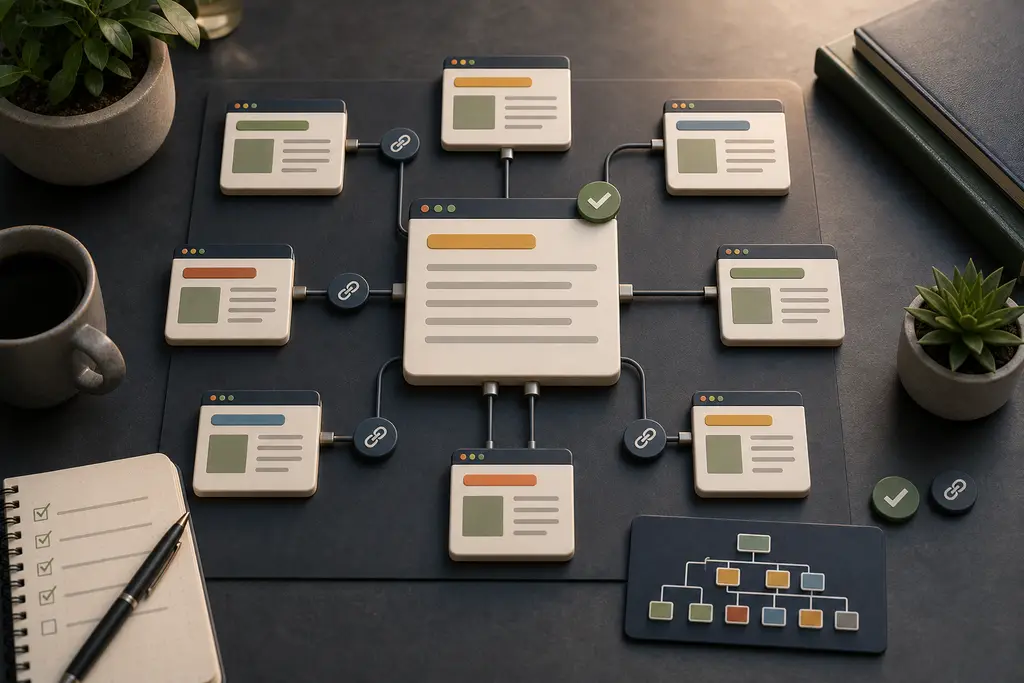
An internal link does three jobs at once.
First, it helps search engines find and understand your pages. Crawlers discover content by following links, and a page that nothing links to is easy to miss entirely. I cover that side in more detail in the guide on crawlability and indexation.
Second, it tells search engines which pages matter most. A page that many of your other pages link to, with descriptive anchor text, is clearly important. A page that only appears in a sitemap is clearly not.
Third, it moves visitors toward a decision. Someone reading an article about slow WordPress sites is one well-placed link away from the page where they can actually ask for help. Without that link, they read, nod, and leave.
Why this matters more on a small site
Large websites get internal linking partly for free: extensive navigation, related-product modules, category pages, and thousands of content pages that reference each other.
A small business website might have six core pages and twenty articles. There is no automatic system doing the work, and there is very little authority to spread around. That makes every link a deliberate choice. If your strongest article links to nothing, its value stops there. If three articles compete for the same topic without a clear primary page, search engines have to guess which one to rank — a problem I cover separately in keyword cannibalization on small websites.
Whether the site belongs to a booking business or a local service company, the situation is the same: few pages, limited authority, and no room to waste either.
A structure that works
You do not need a complicated model. For most small business websites, this is enough:
- Core pages — home, services, cases, contact. These are the pages that win clients.
- Hub pages — one page per main topic that collects and links to related articles. On this site, the technical SEO guides page does that job for the SEO article series.
- Supporting articles — each article links up to its hub, across to two or three genuinely related articles, and forward to the next step a reader might take.
Two rules keep the structure healthy. Every commercial page should link to the contact page. And every new article should join an existing topic, not float alone.
Anchor text that helps
The clickable text of a link is a ranking signal and a usability feature. “Read our guide to WordPress performance” tells both the visitor and the search engine what the target page is about. “Click here” tells them nothing.
Use descriptive anchors that match the target page’s topic, vary the phrasing naturally, and avoid using the exact same anchor text for links to two different pages — that blurs the signal about which page owns the topic.
Common mistakes
The same problems show up in most small site reviews:
- Orphan pages. Pages that exist in the sitemap but receive no links from any content. They rarely rank and visitors never find them.
- Menu-only linking. If the navigation and footer are the only internal links, every page looks equally important and none of them stands out.
- Everything links to the homepage. The homepage usually has enough links already. Deep pages are the ones that need support.
- Broken links after slug changes. If a URL changes, the old internal links should be updated and the old URL redirected. The website migration SEO checklist covers how to do that without losing rankings.
Frequently Asked Questions
Do menu and footer links count as enough internal linking?
No. If navigation and footer links are the only internal links, every page looks equally important and none of them stands out. In-body links from content pages are what signal which pages actually matter.
Should every page link back to the homepage?
No. The homepage usually already has enough links pointing to it. Deep pages, such as articles and service pages, are the ones that need internal links to be found and understood as important.
Is it fine to use the same anchor text for links to two different pages?
No. Using identical anchor text for two different target pages blurs the signal about which page actually owns that topic. Descriptive, varied anchor text tied to each target page’s real topic works better.
What happens to internal links when a page’s URL changes?
They need to be updated, and the old URL should be redirected. Leaving old internal links pointing at a changed or removed URL creates broken links and can quietly lose rankings the page had earned.
A focused pass you can do this week
- List your pages and group them by topic.
- Pick the primary page for each topic.
- Open each article and add two or three in-body links: one to its hub or primary page, the rest to related articles.
- Check that every commercial page links to contact.
- Find orphan pages with a crawl tool or Search Console and either link to them or remove them.
This takes a few hours on a small site, and it is one of the few SEO tasks with no downside when done with normal care.
If you would rather have it reviewed properly — internal links, structure, and the technical side in one pass — you are welcome to get in touch.